Tech Writer
A MacBook that suddenly stops charging can be frustrating, especially when it happens without warning. Many users assume it’s just a faulty charger, but in reality, MacBook charging problems often go much deeper, involving batteries, USB-C ports, charging ICs, or even the logic board.
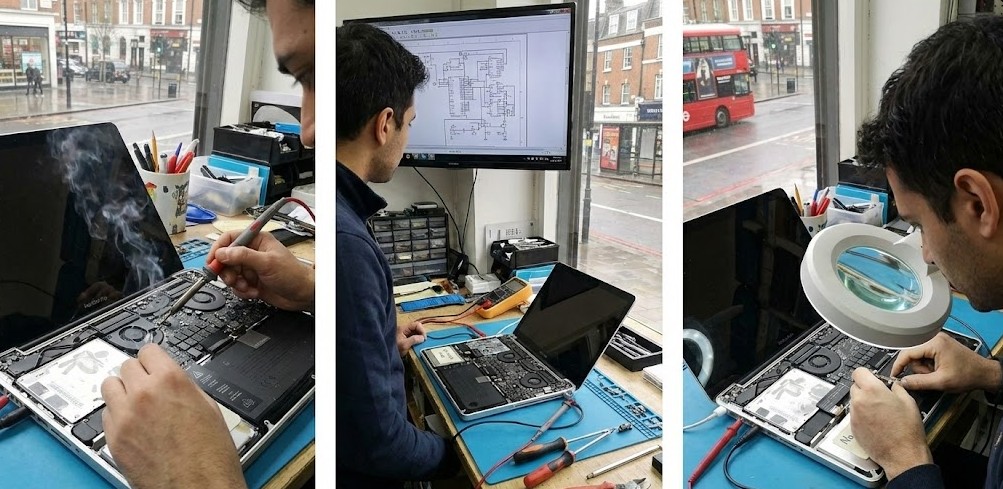
At MacBook Repairs London, we diagnose charging issues daily across MacBook Air and MacBook Pro models, from Intel-based machines to the latest M1, M2, M3 and M4 MacBooks. In this guide, we’ll explain all possible causes, what you can safely try at home, and realistic MacBook charging repair costs in the UK.

Common Symptoms of a MacBook Not Charging
You may notice one or more of the following:
- “Battery Not Charging” message
- MacBook says Plugged In but Not Charging
- No charging sound or icon when cable is connected
- Battery percentage stuck (e.g. 1%, 80%, or 95%)
- MacBook only works when charger is connected
- Charger LED (older MagSafe) not lighting up
- USB-C ports feel loose or stop responding
These symptoms can point to very different faults, which is why a correct diagnosis is critical.
Main Causes of MacBook Charging Problems
1. Faulty or Incompatible Charger (Most Common)
Third-party or low-quality USB-C chargers often fail to deliver stable power. Even if they “fit”, they may not support Apple’s required Power Delivery (PD) profile.
Signs:
- Charging works intermittently
- MacBook charges very slowly
- Charger gets unusually hot
Fix:
- Test with a genuine Apple charger or certified USB-C PD charger
- Inspect cable for bends, burns, or fraying
At our London workshop, over 30% of “charging faults” turn out to be charger-related.
Battery Health Degradation
MacBook batteries degrade naturally over time. Once battery health drops too low, macOS may block charging to prevent damage.
Signs
- “Service Battery” warning
- Battery drains rapidly
- Charging stops at specific percentages
Solution
- Professional battery replacement (same-day service)
USB-C Charging Port Damage
USB-C ports are fragile and frequently damaged by:
- Daily plugging/unplugging
- Dust and pocket lint
- Liquid exposure
- Low-quality cables
Signs
- Charger only works at a certain angle
- Some ports charge, others don’t
- No response from charger at all
Fix
Professional port cleaning or USB-C port replacement (micro-soldering)
DIY cleaning with pins or needles often causes permanent damage.
Charging IC (Power Management Chip) Failure
The charging IC controls how power flows through your MacBook. When it fails, the MacBook will not charge even with a perfect charger and battery.
Common causes
- Power surges
- MacBook Liquid damage
- Overheating
- Cheap chargers
Solution
Component-level logic board repair (far cheaper than replacement)
Liquid Damage (Even If It Happened Months Ago)
Liquid damage doesn’t always cause immediate failure. Corrosion can build slowly and affect charging circuits later.
Important
Even “dry” spills can stop charging weeks or months later.
Repair
- Ultrasonic board cleaning
- Circuit-level repair
- Targeted component replacement
macOS or Firmware Issues (Less Common)
Occasionally, macOS updates cause charging communication issues.
Safe things to try
- Restart your MacBook
- Update macOS
- Check Battery Health settings
If hardware is faulty, software fixes will not resolve the issue.
MacBook Charging Repair cost in London (UK)
Repair type
Charger Replacement
Battery Replacement
USB-C Port Repair
Charging IC Repair
Liquid Damage Repair
Full Logic Board Replacement
Typical cost
£35 – £85
£99– £199
£120– £220
£150– £280
£150– £350
£570+
Time
Same Day
Same Day
1-2 Days
1-2 Days
Same / Next Day
Same / Next Day
We prioritise repair over replacement, saving customers hundreds of pounds.
Why Choose MacBook Repairs London?
Apple Stores often recommend full logic board replacement, even when a simple and reasonable repair is possible.
At MacBookRepairsLondon.co.uk, we offer:
- Component-level MacBook repairs
- Same-day diagnosis
- No data loss
- Transparent pricing
- Warranty on all repairs
Author 's Profile
B. Saeed
B. Saeed is a tech blog writer at MacBook Repairs London shares expert tips, guides, and repair insights to help MacBook users across London. With hands-on experience in Apple device troubleshooting and a passion for technology, she break down complex repairs into simple, useful advice. From battery replacements to logic board fixes, her goal is to keep your Mac running at its best while giving you practical knowledge along the way.